
Offline reading and updates
Haribol runs as an Android app, a Mac app and a web app at haribol.app, with the same library in each. The versions differ in what they keep on your device.
| Version | How to get it | Offline reading |
|---|---|---|
| Android app | Download and install | English library included |
| Mac app | Download and install | English library included |
| Web app | Open haribol.app in any browser; optionally install it | After you download the offline library |
There are no apps for iPhone, iPad or Windows; on those devices, use the web app.
Opened from Instagram or Facebook
Section titled “Opened from Instagram or Facebook”Apps like Instagram and Facebook open links in their own browser, where Haribol may not start and Google sign-in does not work. Haribol then shows a message at the bottom of the page. Select Open in browser (on Android), or choose to open the page in your browser from the app’s ⋯ menu. You can also select Copy link and paste the link into your browser.
Read without a connection
Section titled “Read without a connection”| Version | Available offline | Requires a connection |
|---|---|---|
| Android and Mac apps | The English library: books, letters, the text of the talks, the index and the dictionary. Pictures and Sanskrit recitations, once opened. | Recordings of the talks; other languages unless downloaded |
| Web app | The English library, after you download the offline library | Recordings of the talks; other languages unless downloaded |
To download other languages, see Languages.
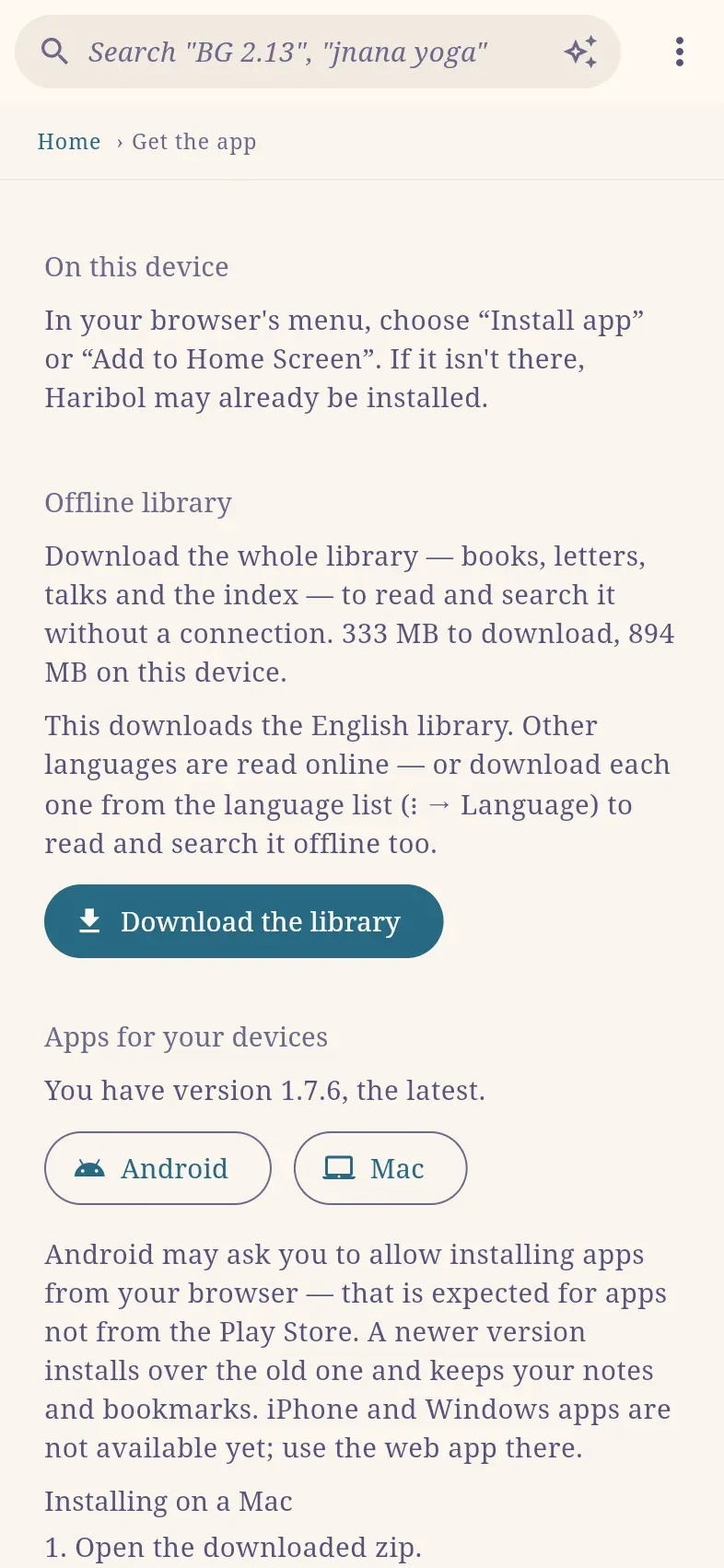
To download the offline library in the web app:
- Select ⋮ › Get the app.
- Under Offline library, select Download the library. The page shows the download size and the space required on your device.
- Keep the page open until the download completes. You can continue reading in the meantime.
Every page then opens without a connection, and search works. Offline, search matches whole words and word beginnings; online it also matches text inside words.
When the page shows A newer library is available., select Update the library. To free the space, select Remove from this device.
New versions
Section titled “New versions”Haribol shows a notice at the top of the screen when a new version is available.
| Version | Notice | Action |
|---|---|---|
| Web app | A new version of Haribol is available. | Select Reload. |
| Android and Mac apps | Haribol version is available. | Select What’s new to read the release notes, or Download to get the new version. |
On Android, the new version installs over the old one. On a Mac, replace the app as described in Install on a Mac. Release notes for every version are on Get the app.
Open haribol.app links in the app
Section titled “Open haribol.app links in the app”Links shared from Haribol are haribol.app addresses, such as haribol.app/bg/2/13, and open in any browser.
- Android app: links to books, chapters, verses and the dictionary open in the app. To open them in the browser instead, turn off Open haribol.app links in this app under ⋮ › Get the app › Links.
- Web app on Android or a Mac, with the app installed: ⋮ › Open in the app opens the current page in the app. To open every haribol.app link in the app, turn on Open haribol.app links in the Haribol app under ⋮ › Get the app › Links. The browser may ask for permission once.